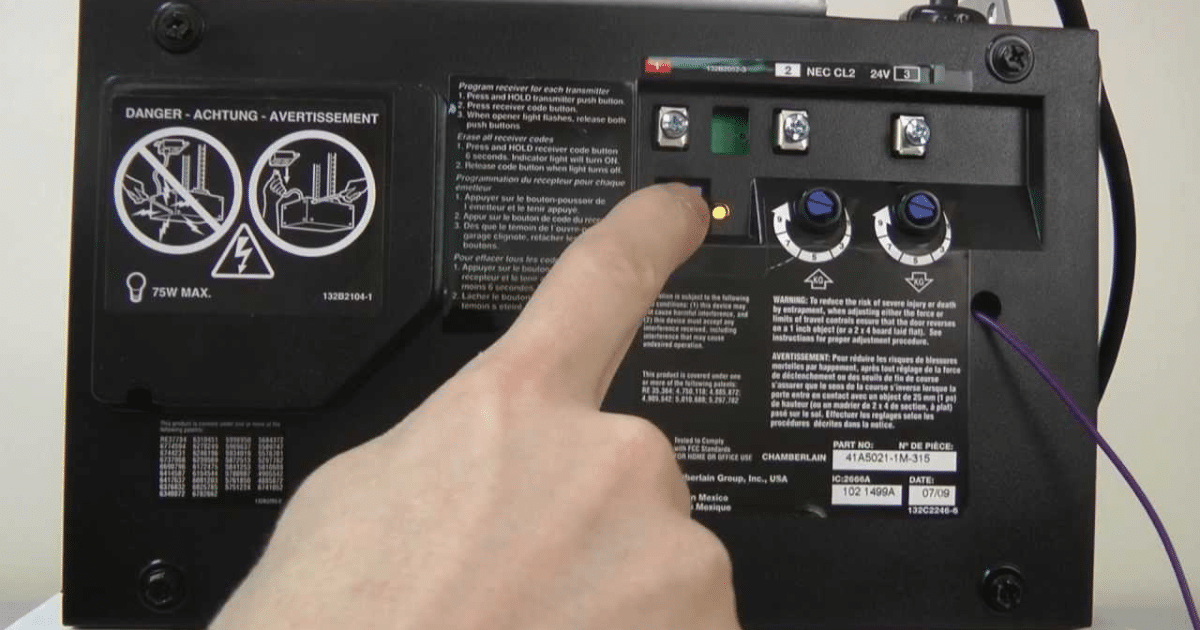
A LiftMaster garage door opener that fails to respond to a new remote or keypad is a strong signal that old programming data is still stored in the system. Knowing how to reset a LiftMaster garage door opener before programming is what clears that data and gives your opener a clean foundation for new pairings.
Attempting to program a new remote without first performing a reset causes most programming failures and turns a simple setup into an unnecessary garage door repair. This guide covers every sign that a reset is needed, what to check before you start, how to perform the reset correctly, and when the job calls for a professional.
Why Should You Reset Your LiftMaster Garage Door Opener Before Programming?
Programming a new device without clearing the system first leads to signal conflicts, failed pairings, and an opener that behaves unpredictably, making a full reset the foundation of successful LiftMaster garage door opener programming.
Common reasons why a reset is necessary before programming include:
- Previously paired remotes and keypads are still stored in the system and are blocking new pairings
- A former resident’s devices still have access and are causing signal interference
- A power surge corrupted the existing programming data stored in the opener
- The opener is responding to multiple remotes when only one button is pressed
- The system entered an unknown state after a manual override or power outage
- New devices fail to pair because the memory is full of old and conflicting data
To understand the full process for connecting your devices after a reset, read our guide on How to Program a LiftMaster Garage Door Opener, which walks through every step needed to get your opener and devices working together correctly.
Signs That Your LiftMaster Garage Door Opener Needs a Reset
A LiftMaster garage door opener that is struggling to respond or behaving unpredictably indicates that a reset is overdue.
Signs that your LiftMaster garage door opener needs a reset:
- The LiftMaster remote sends a signal, but the motor unit does not respond
- The garage door reverses before fully closing due to conflicting stored data
- The opener responds to multiple remotes when only one device should be paired
- A former resident’s remote or keypad still triggers the door without your knowledge
- The opener entered an unknown state after a power outage or manual override
- The keyless entry pad activates programming mode without being triggered
Ignoring these signs and attempting to program new devices without a reset will result in repeated pairing failures and an opener that never functions as intended.
What to Check Before You Reset Your LiftMaster Garage Door Opener
Checking these components first confirms the issue is programming-related and not a hardware problem that a reset cannot fix.
What to check before you reset your LiftMaster garage door opener:
- The learn button is accessible, and the LED indicator light turns on when pressed
- Power source is active, and the antenna wire has no visible damage
- Safety sensors are aligned with solid lights on both sides
- Wall control panel buttons are functional and not stuck or damaged
- Wiring connections between the wall control and motor unit are secure
Skipping these checks before performing a reset often causes the same problem to recur after the reset completes.
How to Reset LiftMaster Garage Door Opener the Right Way
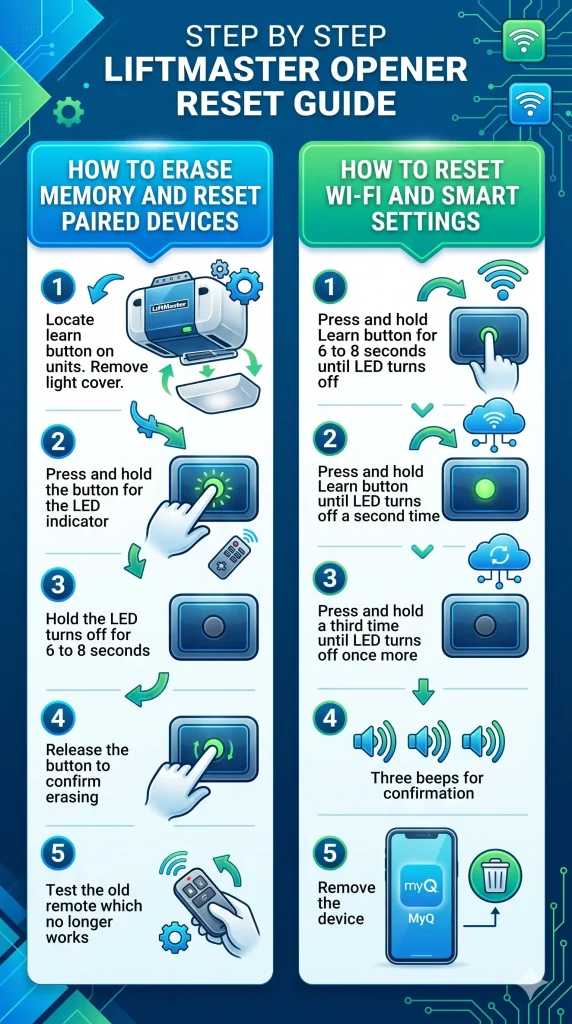
How to Erase Memory and Reset Paired Devices on a LiftMaster Opener
Clearing the opener’s memory removes every paired device and prepares the LiftMaster garage door opener for a fresh programming setup.
Steps to erase memory and reset paired devices on a LiftMaster opener:
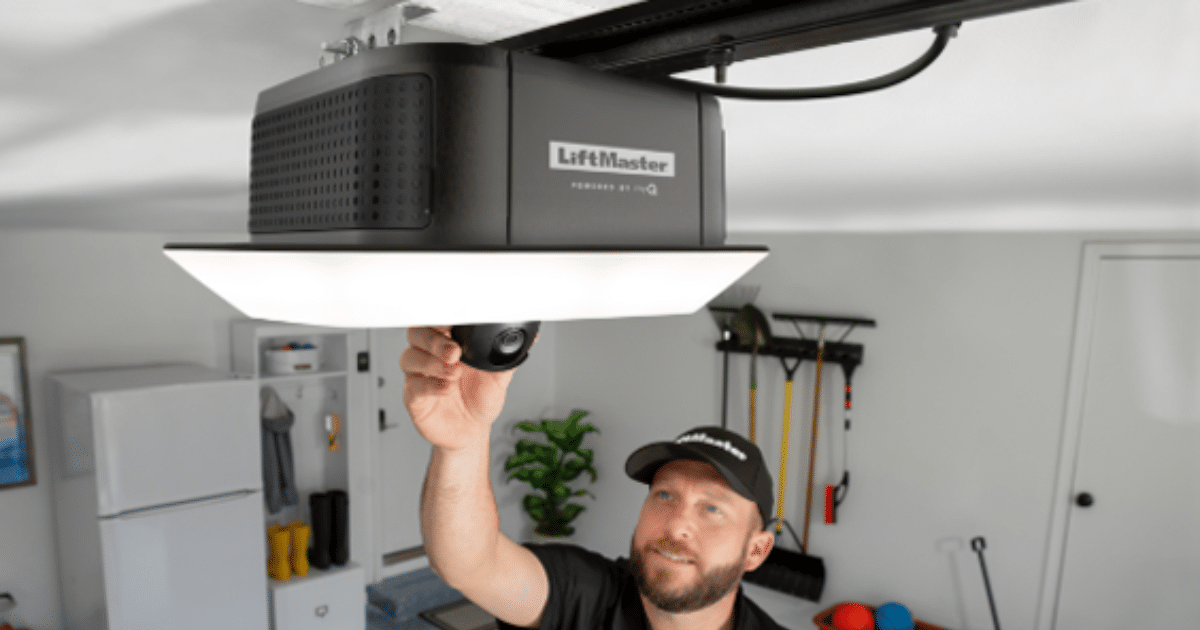
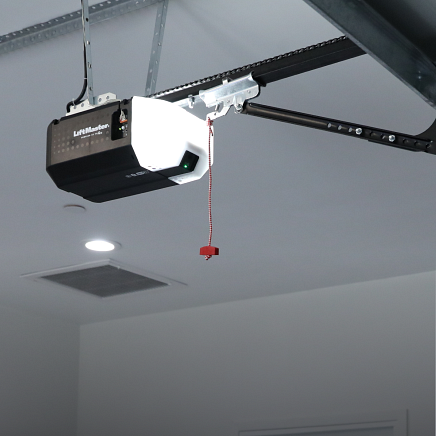
- Locate the learn button on the back or side of the opener unit and remove the light cover if needed
- Press and hold the learn button until the learn LED turns on
- Keep holding until the learn LED turns off completely, approximately 6 to 8 seconds
- Release the button to confirm all remotes, keypads, and MyQ devices are erased
- Press any old remote to confirm the door no longer responds
Older units and newer LiftMaster garage door openers follow the same memory-erase process, but the color and placement of the learn button may vary by model.
How to Reset Wi-Fi and Smart Settings on MyQ-Enabled LiftMaster Models
Fully clearing a MyQ-enabled LiftMaster opener requires a three-press sequence to erase all network settings and smart-home connections.
Steps to reset Wi-Fi and smart settings on MyQ-enabled LiftMaster models:
- Press and hold the learn button until the learn LED turns off, approximately 6 to 8 seconds
- Immediately press and hold the learn button a second time until the LED turns off again
- Immediately press and hold the learn button a third time until the LED turns off once more
- Listen for three quick beeps confirming all MyQ and Wi-Fi settings are cleared
- Remove the device from your MyQ app before starting the setup again
MyQ-enabled models require all three presses to be completed without pausing to ensure every stored network credential is fully wiped from the opener unit.
What to Do After You Reset Your LiftMaster Garage Door Opener
Reprogram Your Remote and Keypad
Reprogramming every access device after a reset completes the LiftMaster garage door opener programming process and restores full access to the system.
Steps to reprogram your remote and keypad:
- Press the learn button once to open a 30-second programming window
- Press and hold the remote button until the opener’s lights flash or a clicking sound is heard
- Release the remote button once the opener confirms the pairing
- For the keypad, press the learn button once, enter a 4-digit code, then press Enter
- Test both devices to confirm the garage door responds correctly
LiftMaster max remotes and older units with a wall-mounted program button may follow slightly different pairing steps depending on the model.
Reset Travel Limits if the Door Does Not Close Properly
Resetting the travel limits after a full memory erase ensures the garage door reaches the floor completely without stopping short or reversing mid-travel.
Steps to reset travel limits on a LiftMaster opener:
- Locate the black adjustment button on the motor unit
- Press and hold the adjustment button until the opener lights flash
- Allow the door to complete a full open and close cycle for recalibration
- Observe whether the door fully reaches the floor without reversing
- Repeat the adjustment if the door still stops short or reverses
Consulting the Liftmaster manual for your specific model ensures the travel limit adjustment is completed correctly the first time.
Reconnect MyQ and Wi-Fi Settings
Getting the MyQ system back online after a factory reset restores full smart access and keeps every authorized user connected to the opener.
Steps to reconnect MyQ and Wi-Fi settings after a reset:
- Open the MyQ app and select Add Device to begin setup
- Follow the in-app steps to connect the opener to your home Wi-Fi network
- Add all authorized users and smart home integrations through the myQ control panel
- Test remote access to confirm the door responds correctly from your phone
- Verify that notifications and alerts are active after setup is complete
Smart home platforms paired with a new LiftMaster opener require full re-authorization through the MyQ app after every factory reset.
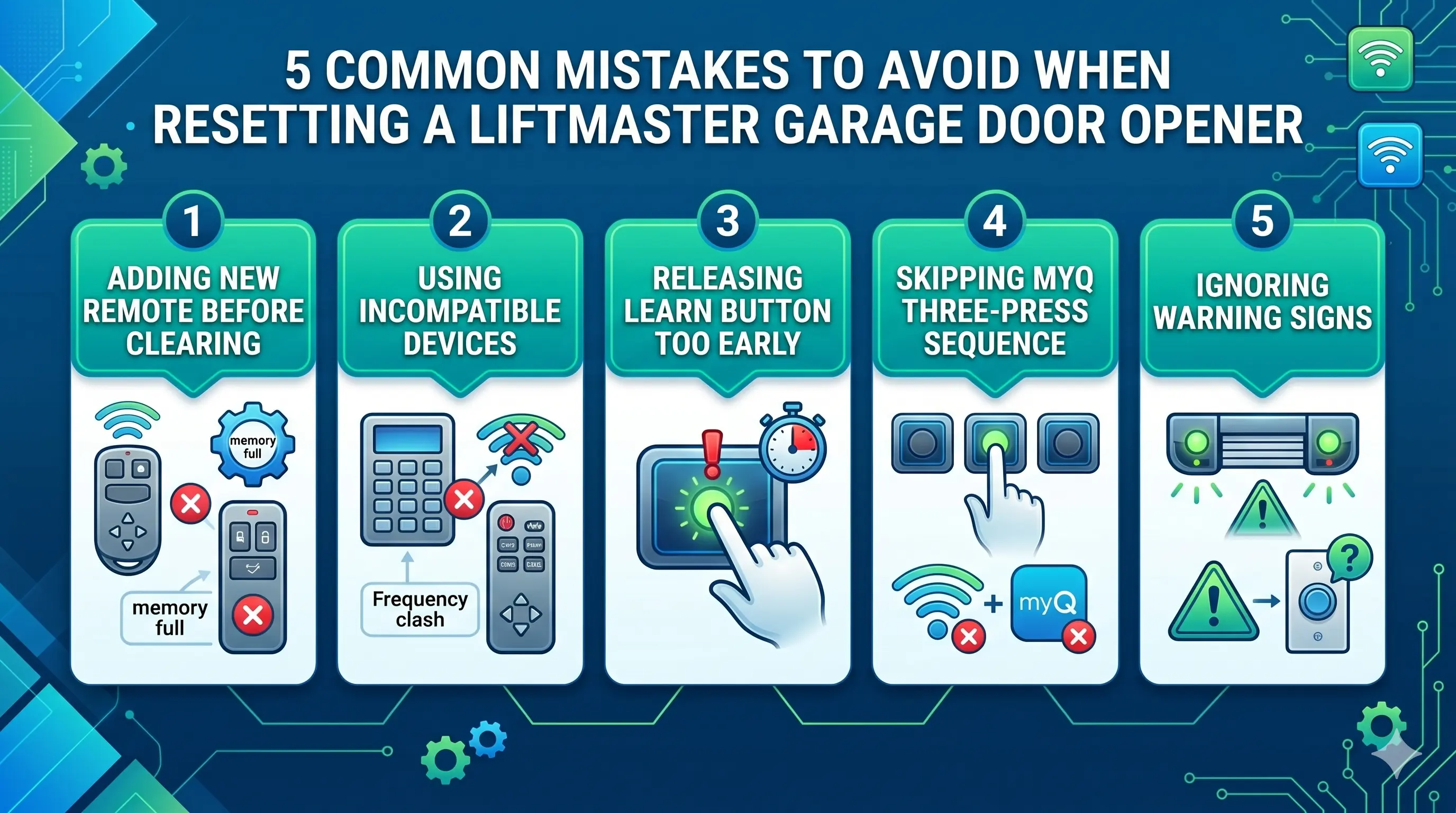
Common Mistakes to Avoid When Resetting a LiftMaster Garage Door Opener
Most reset failures stem from a handful of avoidable errors that interrupt the process before it completes.
Common mistakes to avoid when resetting a LiftMaster garage door opener:
- Attempting to add a new remote without clearing old paired devices from memory first
- Using an incompatible remote or keypad that does not match the opener’s frequency
- Releasing the learn button too early, before the learn LED fully turns off
- Skipping the three-press sequence on MyQ-enabled models and leaving Wi-Fi settings intact
- Ignoring warning signs like blinking sensor lights or an unresponsive wall control before resetting
To walk through every common programming error and what triggers each one, read our guide on Why Won’t My LiftMaster Garage Door Opener Program?, which covers the exact causes behind failed pairings and how each issue gets resolved.
When to Call a Professional for Your LiftMaster Garage Door Opener
A reset solves programming conflicts, but certain conditions require a trained technician to properly diagnose and fix the underlying problem.
Signs it is time to call a professional for your LiftMaster garage door opener:
- Programming fails repeatedly after multiple correct reset attempts
- Visible burns, cracks, or corrosion are present on the motor unit or control board
- Water intrusion or physical impact has damaged the opener housing
- Unusual sounds come from the residential garage door motor during operation
- The opener powers on but fails to move the door despite a successful reset
To address every recurring issue that a reset alone cannot resolve, read our blog on LiftMaster Garage Door Opener Troubleshooting Guide, which breaks down the most common opener problems and the professional solutions that address each one.
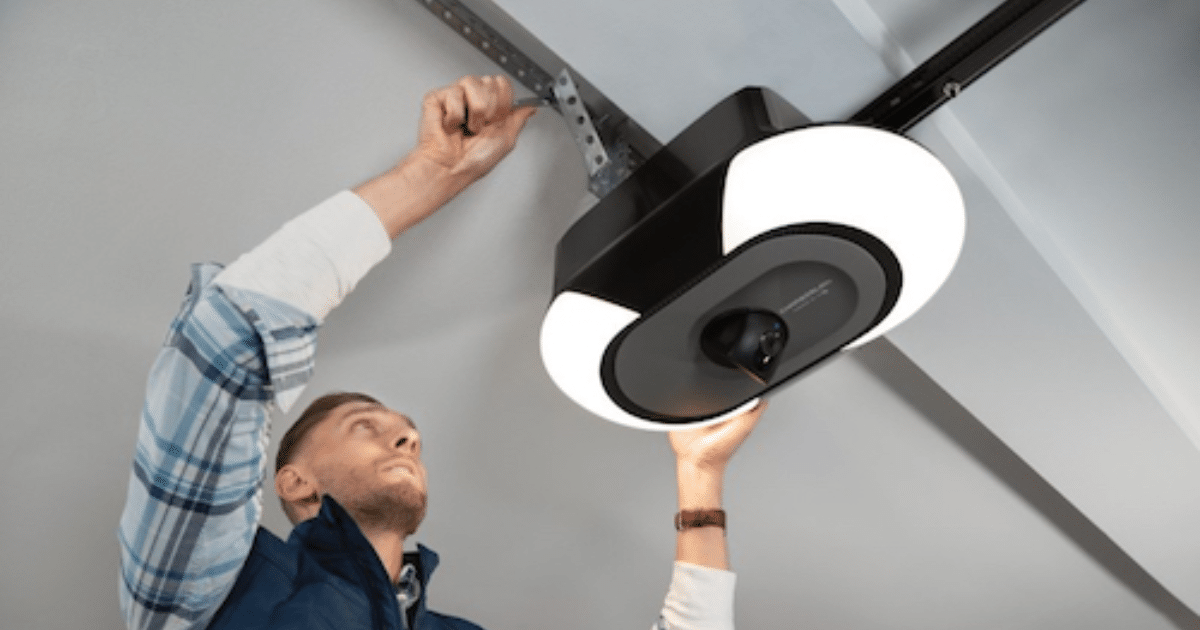
Reset Your LiftMaster Garage Door Opener Before Programming and Get It Done Right the First Time
Skipping a reset before programming is the leading cause of pairing failures, and doing it correctly the first time is what keeps every device connected and the opener functioning without issues. A clean reset gives every remote, keypad, and smart device a conflict-free foundation to pair from.
All About Doors is Glen Burnie, MD’s trusted team for LiftMaster garage door opener repair, programming, and installation services. Contact us or give us a call today and let our technicians handle every reset and programming step so your LiftMaster garage door opener is properly cleared, correctly paired, and ready for daily use.